Theming
In order to fit the Docutain Barcode Scanner SDK into your corporate design, you have a bunch of options to alter the default theme of the ready to use UI components.
Text Theming
To alter the text of the scan hint that appears above the barcode rectangle, use the respective method of the textConfig.
const scanConfig = {
    textConfig.detectionHintTitle = R.string.your_custom_text;
};
result = await DocutainSDKBarcode.scanBarcode(scanConfig);
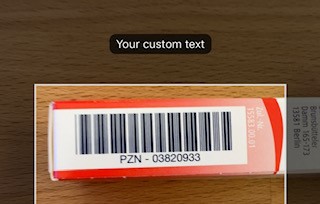
Image Theming
You can set an optional image which will appear at the bottom of the barcode scan viewcontroller. In order to do this, set the bottomImage of the BarcodeScannerConfiguration to a name of an image in your assets catalog (without file extension).
val scanConfig = {
scanConfig.bottomImage = R.mipmap.test_image;
};
barcodeScanResultLauncher.launch(scanConfig)
caution
If you are using a custom image, you are responsible to test wether the layout is fine.